
The GS.Social scanner is the easiest way to get your credit applied to your account!
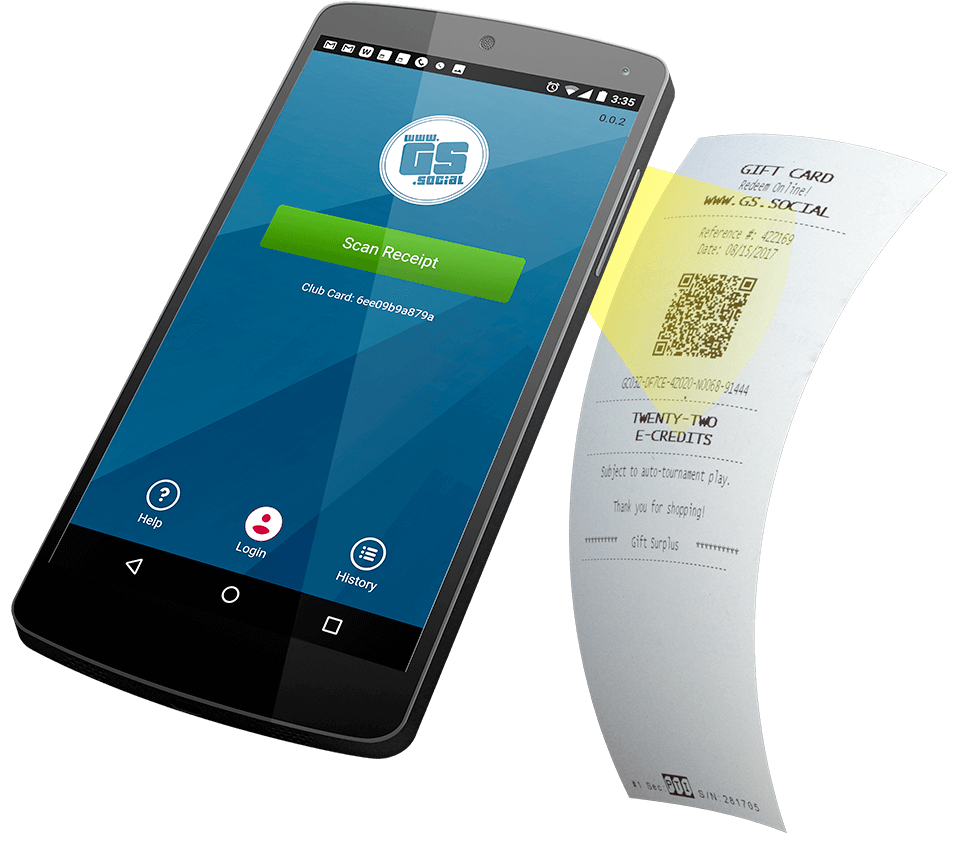
Just install, login, and scan!
Everything else is automatic.


Welcome!
The GS Quickscan App is the easiest way to get your receipts active on our site.
Install the app
When you first install the app you will see that you already have a Club Card # ready to go. You can start scanning now, and we will have a direct record of your scans.
Login
You can either create an account through the app, or log in to your existing account. When you do either of these your Club Card # will automatically be registered to your account! Nothing else is needed.
Scan
All you have to do now is scan! Just click ‘Scan Receipt’ and hold your receipts QR code in front of the camera. You can see if you are lined up inside the app. once the code is recognized your receipt will instantly be logged to your account.
Even if you log out by accident, your credits will always be logged to your account anytime you scan a receipt.